Our photograph of the day for 5/7/2015
Thursday, May 7th, 2015
Click on link to enlarge.
Click on back button to return to post.
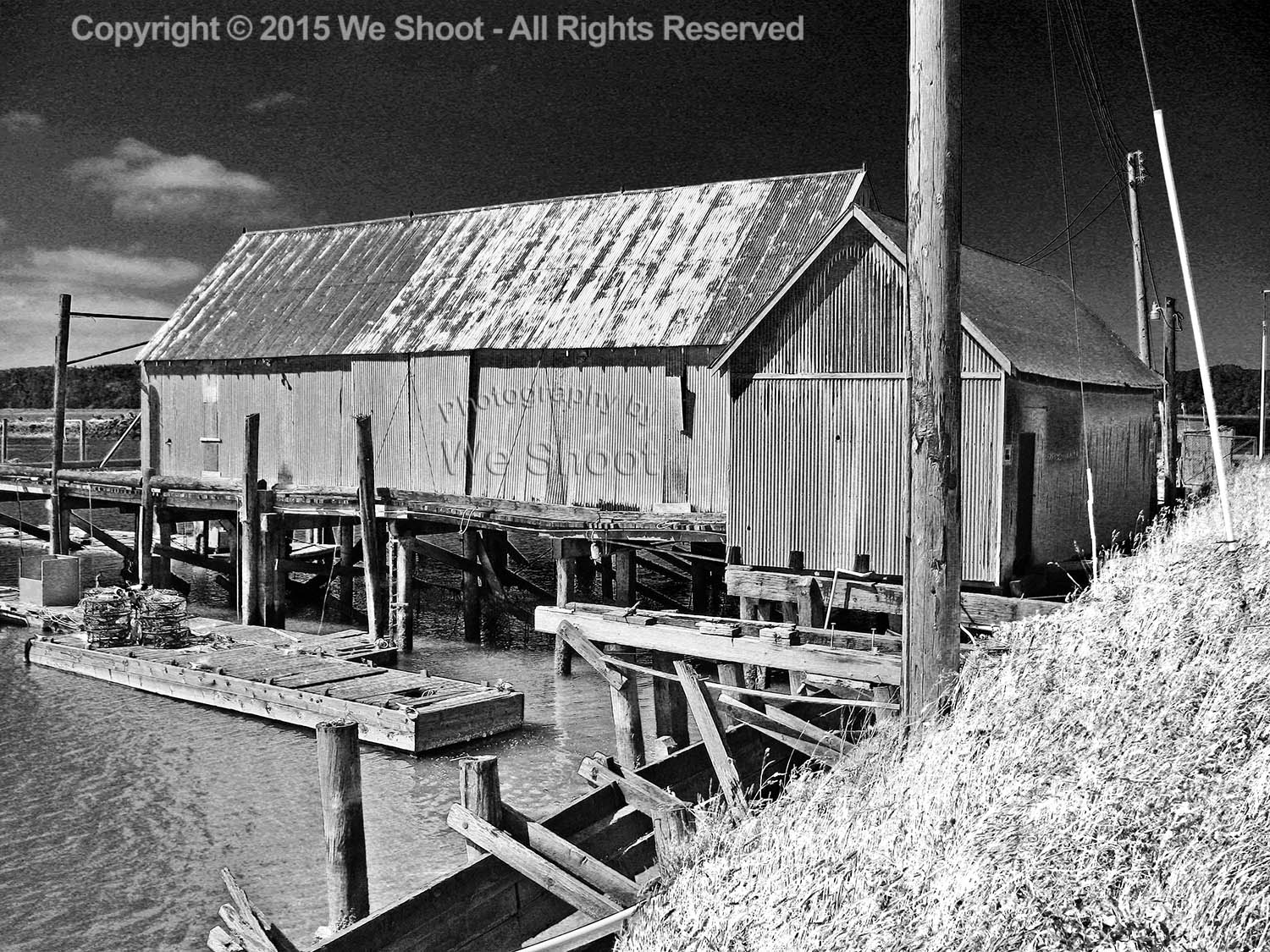
Black and white image of a boat shed on the water in Grayland, Washington by We Shoot
The Official We Shoot Blog
Friday, May 8th, 2015
Click on image to enlarge.
Click on back button to return to post.
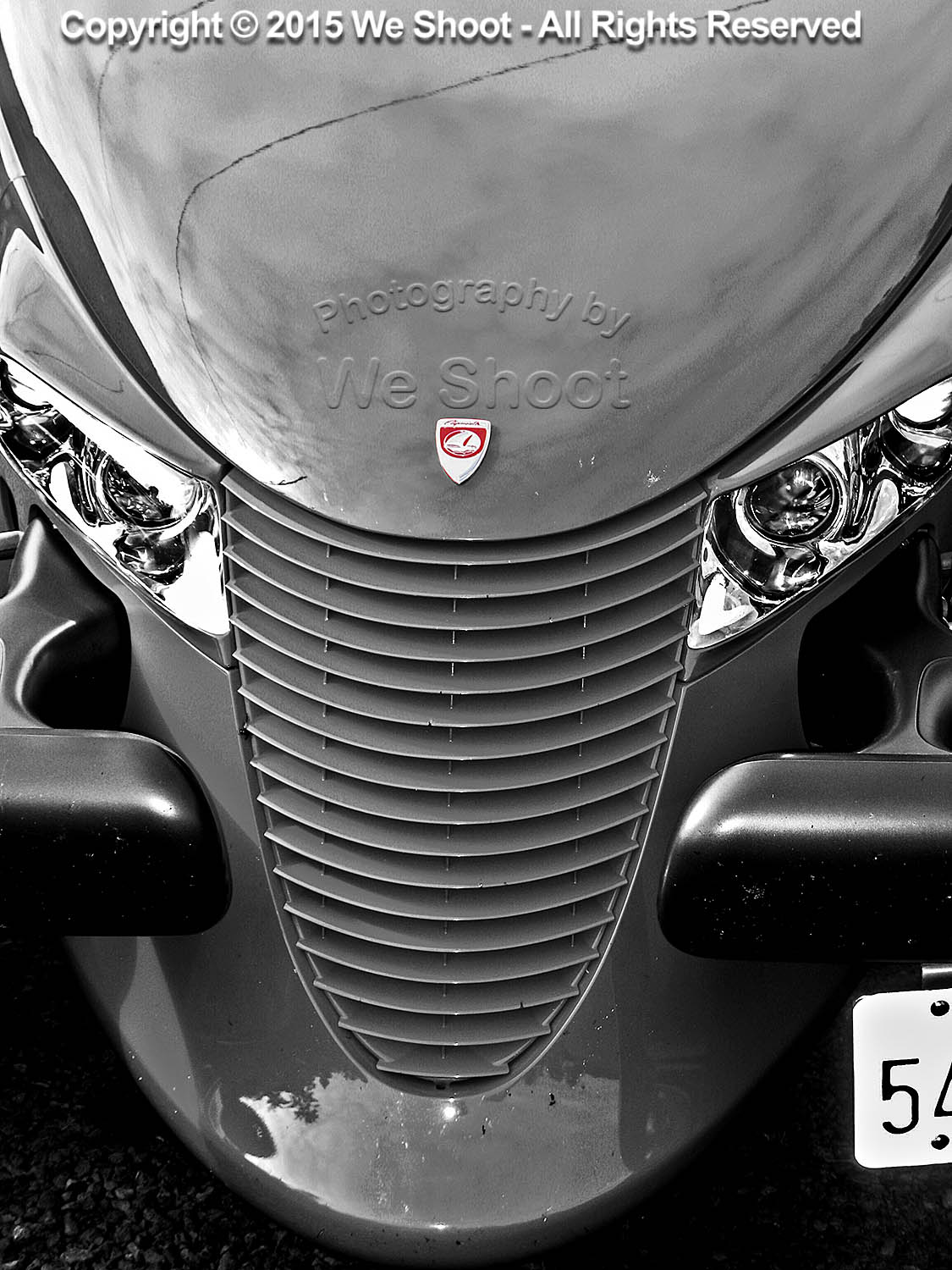
Selectively-colored black and white of Prowler automobile front end from We Shoot
Thursday, May 7th, 2015
Click on link to enlarge.
Click on back button to return to post.
Black and white image of a boat shed on the water in Grayland, Washington by We Shoot
Wednesday, May 6th, 2015
Click on link to enlarge. Click on back button to return to post.

Abstract from a photograph by http://weshoot.com .
Thursday, July 10th, 2014
Like a lot of other people, I go to Facebook, Flickr, Twitter, and other social sites, and I see lots of images of food. Contacts and colleagues, as well as anonymous strangers, have decided to show what they are about to eat, or have partially eaten. The explosion of cell phone cameras and other low-cost digital cameras has allowed many people to think of themselves as “Food Photographers.” Anyone today with a heartbeat can take a picture. I look at some of the food photography online, and there are comments from others on this, like: “That looks so yummy, I wish I could have some!” Or, “That looks delicious!” I look at the images and it is all I can do to keep my last meal down. What I usually see is not well composed, never styled, improperly lit, and the colors are sickly. This is akin to those blurry, out of focus images some people take of their kids and post on Facebook, to the delight of their friends and grandparents who say “Great shot!” The one thing they all have in common was that all the images were created for free, once you factor out the cost of the phone or camera, memory cards, readers, computers, and editing software. As I create food photography professionally, I have decided to see if I could take decent images of food with my cell phone and run it through Photoshop to get decent looking food shots. Now, real commercial food photography takes planning, a good food stylist, lots of lighting and equipment, and photographic experience. It also takes a tremendous amount of patience. I have dealt with clients, corporate chefs, tight spaces, and less than ideal shooting conditions. Sometimes the food looks great but is actually inedible because things are done to it for the purpose of great photography. I went out to a favorite Mexican restaurant for dinner the other night and, as usual, I brought along my iPhone, which actually has a decent camera built-in (for what it is). It takes 8 megapixel images in .jpg form. It performs reasonably well in relatively low lighting conditions. It has a strobe. But, first, it doesn’t shoot in RAW format. This is important for making better final images. More megapixels means more information and higher enlargement quality. Not all megapixels are equal. There are many cell phones that have larger pixel counts than the iPhone, but the picture quality isn’t as high, as evidenced by the fact that several stock agencies will accept still images and video from iPhones, but not other cell phones. Image noise becomes a factor when jamming high pixel counts on small sensors. For this reason, a cell phone isn’t what a pro would use. If you are going to shoot food, in my opinion, a 24mm X 16mm sensor in a DSLR at 10 megapixels that shoots in RAW format would be the minimum to use. So, despite my opinion, I decided to experiment as a pro since I have indeed been paid to photograph food by people in the food biz. I decided to work with the chips and salsa. The first obstacle is lighting. In this example, we are away from the outside windows and close to an inside wall. I am shooting hand-held. So it has to be either the ambient room lighting or the camera flash. Trying the flash, I get the following image:  Although it looks sharp as a small image, there is unacceptable camera movement evident in the full-sized version. Harsh shadow at the top of the paper. Loss of light away from the center, and all the color is off. No styling is evident. This was just the way the food was delivered. Yet I see images on FB worse than this with someone saying “yummy” in the comments. I then try the somewhat same shot using room lighting, without the strobe. See the sample image below:
  While in-focus and more appealing color is evident and lighting is more even, the shadows are still way too heavy, caused by non-diffused room lighting. The position of the camera is dictated by my seating. I can’t get far enough back to get the chips and salsa in the frame. The tip of my silverware can be seen at the bottom of the image. Remember that I am shooting as most people do who post images online, not as a pro. There will be no styling. Next, I take the image and put it through a little Photoshop massage. It comes out looking like this:
  With shadows lightened, color enhanced, top of the image straightened, and the silverware tip removed, it looks better – but still nowhere near professional quality. Maybe worthy of FB, but not for marketing. I will show you a styled, professional image we did a while back of two taco salads, chips, and the rest of the fixings:
  As you can see, the color is quite appealing, the image is light and colorful, and the food is crisp and fresh-looking. Shadows are attractive and unobtrusive. The image has been styled by a professional stylist, and a lot of diffused strobe light has been used. Lighting is off-camera to give highlights where needed and provide depth. This is professional food photography – the kind supplied by We Shoot.
– Gary Silverstein
Thursday, June 5th, 2014
The definition of “rebranding” from http://www.whatis.com is as follows:
“Rebranding is the creation of a new look and feel for an established product in order to differentiate the product from its competitors. Rebranding efforts may include a name change, new logo or packaging and updated marketing materials that includes the latest industry buzzwords. The goal of rebranding is to influence a customer’s perception about a product or service by revitalizing the brand and making it seem more modern and relevant to the customer’s needs.”
Sounds pretty good, doesn’t it? But, really. Rebranding. I mean, please. Is anyone as tired of this word as I am? Every way I turn I see it. I even think about it when meeting other business people. As a professional photographer, what often comes to mind is, “you definitely need to upgrade your imagery and do some rebranding.” I mean some of them SCREAM for it in the way they present their business. It is definitely apparent in the photography of their product and service presented from their website and collateral material. But does this mean that everyone in business needs to rebrand?
Sure, we can all use an occasional evaluation of our business. Who is our clientele? What is our focus? When do we exercise a new strategy? Where are we going with this business? Why did we start it? Yup, somewhere in there is the good old “who, what, when, where, and why.” The nucleus of journalism may apply to a business as well.
But should we hire a rebranding specialist? How about just sitting down with ourselves on occasion – say every 3 months – to ask five questions like the ones above. Make it fun. Be your own journalist. Set up an appointment with yourself every 3 months to conduct an interview, or interview your business partner, upper management, middle management, or your administrative assistant. Oh, wait a minute. This sounds like an old tried-and-true marketing meeting. How ‘bout that? You may have been doing it all along. Rebranding. And it didn’t cost you a penny.
For those of you – like me – who don’t schedule a weekly marketing meeting or a quarterly meeting to evaluate your business, begin now. Consult with the people you work with, the people who want your business to succeed as much as you do. From top to bottom. Involve everyone you work with, and you’ll not only come up with improvements to your business, you’ll come up with improvements to the most important business relations of all. The people you work closely with every day.
And don’t forget the maintenance people – or anyone in the business of making something look its best. If this last suggestion sounds funny to you, then you’re missing out on one important factor to a successful business. Objectivity. And you don’t have to hire a professional. Maybe it could be someone you know in an entirely different business than yours. Get their objective input. Or anybody who isn’t as close as you are to the challenge you face. This is especially applicable for a really small business.
Now get away from that computer and ask this simple question of the next person you see. “What do you think?”
– Dione Benson
Thursday, May 29th, 2014
Professional photographers and amateurs alike have many things in common in this digital age: our cameras put the images we take on digital media, such as Compact Flash cards, SD cards, or similar devices. Some of the different methods for extracting the information from these cards are to run a cable (usually USB) to the camera from the computer and we instruct the computer to copy, transfer, or import the images to the computer’s hard drive(s), or we take the digital media card out of the camera and place it in a reader that serves the same function. Some of us have built-in slots in our desktop computers that will accommodate various kinds of cards. My last two computers have had the slots built in.
I’m a professional photographer and videographer. For many shoots, I go on location and have several Compact Flash cards that fit in my still cameras, and the images I shoot are stored on the CF cards awaiting transfer to my computer’s multiple hard drives. Since I usually can’t reshoot the images, and there is much more security in the redundancy of having the files on different drives, I store my images on several external drives simultaneously. Hard drives do fail. There is no excuse for losing a client’s images.
The critical point, however, is that much can happen to the information on the cards during the transfer process. Pulling a card out of a camera that is turned on can corrupt the card, as can pulling a card out of a reader during a copy phase. So, I breathe easier once the images have been copied or imported to my first hard drive without a hitch. Until I have the images on more than one hard drive, however, I keep the images on the card, as well, for backup in case something bad happens.
I recently got a wakeup call, and it was just by chance. I had been using the CF card slot in my PC to copy files from the card to the computer. I didn’t have a job for a little while and I had left the images from the last shoot on the card in the camera after first copying them to several drives on my computer. I put the card back in my camera after copying it. I usually copy to my main drive first, add keywords, my copyright, etc. to the meta data, and then copy all that to a couple more external drives for security.
About a week after I had copied the images on the card I had put back into the camera, I went to reset the camera’s settings for the most likely settings for my next shoot. It showed I still had images on the card, so I hit the view button to see which images were on the card before deleting them, AND, HORRORS, THEY LOOKED BADLY PIXELATED! I looked at several of the images in the camera and most had this problem. I hit the magnify button, and they looked sharp again, but when going back to the “fit on screen” image they again looked pixelated. All I had done was to copy them to the hard drive on my computer. The images that had been copied to the hard drive were in no way affected, but the card seemed to be corrupted. That never happened before.
Luckily, I had already uploaded the finished job to the client the day before, so I knew that the images in the computer were not corrupted.
As a pro, I can’t leave anything to chance, so I had to find out whether the card was bad, the camera had a problem, or what had screwed up the images while the card was in the computer.
My first test was to shoot test images to see what was happening. Once shot, I looked at each at the back of the camera. They looked normal. I turned off the camera, popped the card, and put it in the built-in PC reader. I copied the files to a folder on my desktop, and made sure it was finished copying. I removed the card from the PC. I made a second folder on my desktop. I then used Photoshop to view the images in the first folder on my desktop. They looked OK. I put the card back in the camera and turned the viewer on, and they were corrupted! I took the card out of the camera again, and put it back in the PC and copied the same files to the second folder on my desktop. I clicked on the first image in Photoshop and a dialog box popped up saying that Photoshop could not read the image format. The card was corrupted. Period.
I had an old external USB 2.0 card reader I used to use before having built-in slots, so I dusted it off and plugged it into an open USB slot on my computer. I put the card in the camera again and formatted the card. Again I took some test images. I took the card out of the camera and put it in the external reader. It took longer than the built-in reader, but there weren’t that many images. They copied perfectly. I took the card from the reader and put it back in the camera. I turned on the viewer, and the pictures looked normal, not corrupted. I shut off the camera and again removed the card. I again copied the files to another folder on my desktop – they could be opened in Photoshop and looked normal.
I determined that the built-in reader in the PC was corrupting the images while copying. I don’t know why: was it software, or hardware? I determined that the best way around the problem was to not use the built-in slots again on this computer, but to bypass them. I had lost faith in them. However, the USB 2.0 external reader is incredibly slow. I also use my readers for HD video on SDHC cards, and it takes forever to import video files. So, I decided to buy a new USB 3.0 external reader. I found one on B&H’s website for $14.95 (with no shipping) at http://bhpho.to/SVr845 . I ordered it and tried it out with all my different media from different cameras. It seems to work well, and it is blazing fast compared with USB 2.0.
The moral of the story is: Don’t be complacent about your digital photography equipment. Don’t assume all is well without checking it out occasionally. I could have gotten a bad surprise if I hadn’t looked at my camera, and taken action. Being a pro, you’ve got to be on your toes!
– Gary Silverstein
Wednesday, September 11th, 2013
In the past, a professional, commercial photographer needed a camera and film, to put it simply, to put an image into media. A commercial lab or a photographer’s darkroom was needed to process that image and turn it into something a client could use. Those labs largely have just about disappeared. And so, now digital is king.
In the present, a professional, commercial photographer’s computer is as important to him or her as a camera. The computer takes the place of the lab and/or darkroom.
When that computer goes on the fritz, it can be a bumpy ride. Take my old Intel-based i7 workstation computer as an example. Although very powerful when I bought it (it is still serviceable and still considered powerful today), it was getting a bit long in the tooth at 3.5 years old. Several months ago, I started to notice things happening for which I had no explanation. After leaving my computer idle for a time, I would come back to it, and programs I had left open would be gone and off the task bar. Passwords I had earlier put in on some web pages had to be reloaded again. I thought maybe I had only imagined I had put in the passwords or opened programs. Then one day something happened to illuminate that I was having computer malfunctions when I was working on an image, and the screen went black, stayed black for a number of seconds and then the computer rebooted. Now I realized something really bad was afoot. The reason my websites had to be reopened with a password again, and programs that had been open had closed, was that the computer had an intermittent failure for some reason, and had rebooted while I was away from it. What could be causing this?
The first problem I noticed was that the image file I had just spent two hours working on in Photoshop, although saved at intervals, was now corrupted. I still had the original file, but all the work I had done had vanished into thin air. The reason is the file was open, hadn’t been closed properly, Photoshop hadn’t been exited properly, and Windows hadn’t also been shut down properly. When a computer crashes like that, it can’t close out anything on the hard drive, and so a corruption occurs. The second thing that dawned on me was that this could definitely happen again. This was totally unacceptable. This either means repairs or replacement of this computer. Either way, it is going to be expensive, and very time-consuming.
I used to fix cars for a living a long time ago at a new car dealership, and one of the things the boss used to stick me with was fixing odd intermittent problems. These were more numerous than one would think. I did learn one thing about intermittent problems. They invariably would show as “no fault found” (NFF) when the car was working OK. All testing devices said that things were working to specification and, because the problem was intermittent, it was my job to drive the car until it happened again. I would take these cars home with me and drive them like they were mine until I experienced the problem. I would sometimes drive the car for weeks! My experience would lead me to note everything about why the car had failed: Was the car warmed up, was it a cool day, was it uphill or downhill, etc., all clues that would lead me to some conclusion. Sometimes I experienced the failure once in maybe a week, sometimes several times an hour. But I knew the problem the customer had, and I had seen it first-hand. Since cars have electricity, and in the later years, electronics, most of the time the culprit would be there. Sometimes I would find the problem: a wire that had touched a hot surface and the insulation had burned off and allowed the wire to ground when movement of the car caused the wire to touch ground, or a plug that didn’t lock into place properly from the factory and lost contact with movement of the car. But, electronics added a whole new dimension to the intermittent problem – that of the failed sensor or computer. These units were sealed, and when you tested them, and the car was running, there was NFF, but failure could happen for almost any reason. The fix for this was to start replacing parts with known good parts, and an educated guess. At the dealership, that meant taking a part off the shelf, putting it in the car and letting the customer drive away with it to see if it still had the problem. It was not a problem while the car was in warranty as the old part was kept and returned to the car should that not be the problem. By process of elimination, even very knotty problems could be fixed. The problem became more complicated on customer pay, as I had to charge the customer for labor, but I could still refund the money on the part, as long as I returned it to the parts shelf. When working with an independent shop, however, the customer and the independent repair garage can’t return used electrical parts to their suppliers, and that is where this gets back to my computer.
The computer was past the warranty, so anybody I took it to could test it and find something wrong, or, nothing wrong. It could crash twice in an hour or go as long as ten days without crashing. You had to be watching it to see it happen. An unlikely scenario at a computer repair facility. The computer can’t record why it crashed as the crash wipes out that capability.
I consulted the Internet, and got several ideas of what it could be: anything and everything. It could be the video card. In my case, it has to be more than just a video card. It has to be an Adobe-certified video card. For some of my work, 3D capability is something that may be needed in Photoshop or some of my video programs. This also means this card is relatively expensive. It could be the motherboard. It could be the processor. It could be the memory, etc. I ran the manufacturer’s diagnostic for five hours, and it tested just about everything in the computer. NFF. I had an expert steer me to a free downloadable diagnostic program on the ‘Net called memtest 86 that ran from a disk in the CD drive. He said he uses it and it really wrings out the processor, motherboard, and the memory, and usually finds failures within 10 minutes. I ran it for five hours, and it found absolutely nothing wrong.
My local computer boutique wanted $39.00 to diagnose the problem. There was just one problem, however. It was Monday, and they were backed up until Thursday. For an extra $89.00, they would move me up in the queue to next.
So, for $138.00 I could get a diagnosis. Not fixed, mind you, just diagnosed. My mechanical sense about intermittent problems started tingling, and I knew that I could get the dreaded NFF from them. Or they could surmise what was wrong and we would start sticking new parts in my old computer until it was either fixed, or I could watch someone scratch his head and say, “Gee, I’ve never seen that before!´ All after lightening my wallet for greenbacks I would need in order to replace my aging box.
Not wanting to take out my wallet and throw parts at this problem until it was fixed, I had to take action. The one item it could be was a bad C:drive. If it was that, I would have to spend $100 to $200 and go through the two weeks or so it would take to reload and configure all my programs, desktop, network, and so on, and I still wouldn’t be sure it was fixed until it could run for months without failure. Other components in this computer were as old as any part I would be replacing.
So, I opted to the one approach that should work – replace the car, er – computer. Sorry, I have cars on the brain.
I can’t buy just any computer, either. Considering the fact that I work with large image files with multiple layers, and video programs that suck up processor speed and memory, I need something powerful. I need another i7 box, with lots of memory, a big hard-drive, an Adobe-certified video card. It needs to have several USB 3.0 ports as I back up my work on high-speed USB 3.0 drives that can transfer multi-gigabyte files in seconds rather than minutes.
Another thing I would look for is getting the computer with Windows 7 Professional. It was what I worked with in my old box, and I didn’t know if some of my old programs would be compatible with Windows 8.
Fortunately, I found almost what I was looking for in a Dell from Office Depot. A fourth-generation i7 processor, an Adobe-certified video card, eight GB of ram (expandable to 32 GB), a one-TB hard drive, and Win 7 Pro. Expansion slots. Etc. For less than my last computer, but still more than one would pay for just an everyday computer. It would need more memory, of course, available from third party suppliers. It would need an additional third-party expansion card to run another of my drives (an eSATA) as there is no native port built in for that connection.
I purchased this hot rod and it actually came in two days with free shipping. I then began the arduous task of getting it to where I could work with it through configuration, calling Adobe and Microsoft to move licenses to my new computer.
I never got that far. Two hours after firing up this turbo computer, it crashed. Not quite the same as my old one. This time it was software-related. This one had the “Blue Screen of Death” or BSoD. I didn’t think much of it until it happened a couple more times. After much wrangling, I shipped the computer back through Office Depot and got a refund, and since the deal on this same model computer was still going on, I ordered another and kept my fingers crossed. It also came in two days with free shipping.
After several weeks of installing and configuring hell, upgrading the memory, and adding the eSATA expansion card, I am typing this blog post on my second new computer. Hopefully this one will last as long or longer than my 3.5 year-old computer.
BTW, I still don’t know what is wrong with the old computer. Fortunately, I don’t have to find out.
My clients may sometimes wonder why pro commercial photography costs what it does. Part of the reason is that I – and my computer – really are the lab, and my computer has to be up to the task. The end result is great images that help my clients make money.
– Gary Silverstein
Monday, June 24th, 2013
Sometimes it pays to do your homework. Don’t just read the headlines. Several times in the last few years, I have gotten some strange phone calls. One day, late in the afternoon, I got a call on our business line. A woman breathlessly asked, “How late are you open?” I was somewhat taken aback by this, as we are basically location photographers who have a studio, but do most of our work outside of it. We have used the studio for food and small product shooting, but our work is mostly on location: commercial, industrial, large product, and architectural.
So it was surprising to get a call like this, and I said to the person on the other end that we are open 24/7. Whenever a client needs us, we are there. Then the caller said, “Do you have an indoor range?”
I realized that this caller had only read our headline on a search engine, and typed in “Shooting Range” for their search. In the headline, a lot of times, our phone number comes up. So, instead of clicking on the link to get more information, they call our number.
I told the caller that the name of our business is We Shoot, that we are commercial photographers – the only things we shoot are cameras – and that our website is weshoot.com. She sounded a little sheepish and apologized for calling. And, she still hadn’t found a shooting range, which I assumed she was in a hurry to find.
In like respect, when choosing a commercial photographer for a project, see if they are what you are looking for. Many photographers who specialize in weddings also advertise for other types of work. Now, this is not to say that wedding photographers can’t do commercial work, but if you go to their website and the first images you see are wedding related or portraiture heavy, this is what comprises the bulk of their work. You won’t find weddings or portraits on our website. Just because we all use cameras doesn’t make us all the same. So, choose wisely for the type of photography you need – it can save you time and money in the long run. Then you won’t be going off, half-cocked!
– Gary Silverstein
We Shoot
Copyright © 2026 - weshoot.com | Entries (RSS) | Comments (RSS)
WordPress theme designed by  web design